

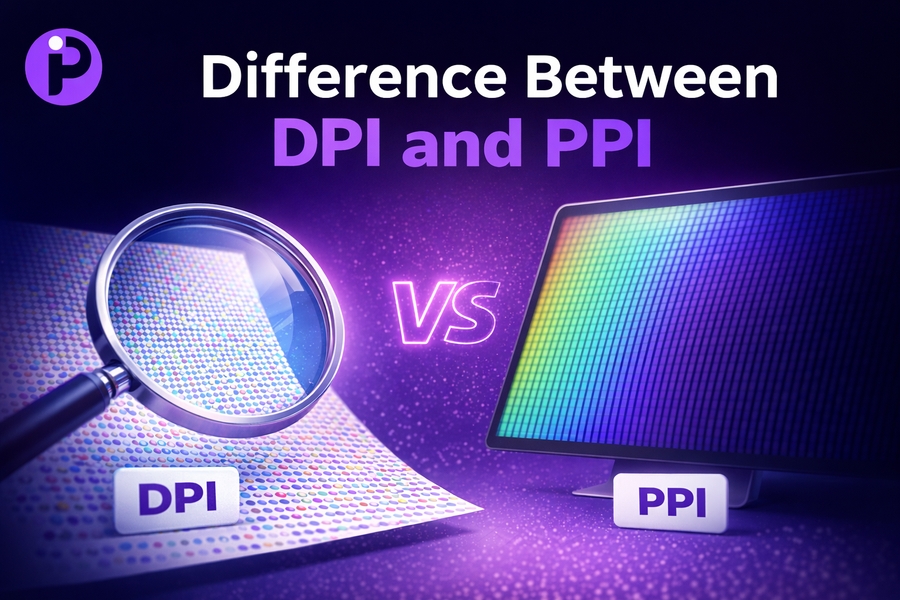
When it comes to image quality and resolution, two terms that often come up are DPI (dots per inch) and PPI (pixels per inch). While both relate to the measurement of resolution, they serve different purposes, especially in digital versus print formats. Understanding the difference between DPI and PPI can help you make better design and printing decisions.
In this article, we’ll break down what each term means and how they impact the quality of your images.
What is PPI and How Does It Impact Digital Images?
PPI, or pixels per inch, refers to the pixel density of a digital image. It’s used to measure the resolution of images displayed on screens like monitors, smartphones, and tablets. The higher the PPI, the sharper and more detailed the image will appear. PPI is especially important for web designers and anyone working with digital images that will be displayed on a screen.
For example, a screen with 300 PPI will display much sharper images compared to a screen with 72 PPI, which was once considered standard. If you’re designing a digital image for a website, you should aim for 72 PPI to ensure it loads quickly without sacrificing too much quality. However, if you’re designing for a high-resolution screen, 300 PPI or higher might be necessary.
If you want to explore how pixel density affects digital images, using a pixels to inches converter can help you visualize different pixel densities in relation to physical sizes.
Understanding DPI and Its Role in Print Media
DPI, or dots per inch, refers to the number of ink dots a printer can place within a given inch of a printed image. Higher DPI values result in finer, more detailed prints, which is essential for high-quality printing. If you’re working with printers for producing professional-quality prints, you must understand DPI’s role.
For instance, when printing photographs or brochures, 300 DPI is the recommended standard for clear, crisp prints. Prints with lower DPI values, such as 150 DPI, may appear pixelated or blurry. It’s essential to ensure your images are prepared with the appropriate DPI to avoid issues when printing.
To further understand how DPI affects print quality, it’s useful to know how various printers handle DPI. For example, high-end professional printers often support higher DPI levels to create ultra-sharp, detailed prints.
The Interrelationship Between PPI and DPI
While PPI and DPI both deal with resolution, they operate in different contexts—PPI for digital images and DPI for printed ones. However, there is a connection: PPI determines how an image will appear on a screen, while DPI determines how that image will appear when printed. If you plan to print an image that was created digitally, it’s essential to consider both PPI and DPI to ensure the best quality.
For example, if you have a 300 PPI image, printing it at 300 DPI ensures that the image will retain its sharpness and clarity. However, if you print a 72 PPI image at 300 DPI, the image will likely appear pixelated or blurry because the image doesn’t have enough detail to fill the print resolution.
This is why it’s critical to use high-quality digital images with a high PPI for printing purposes, ensuring they meet the necessary DPI requirements for a clear print.
How to Convert Between PPI and DPI
Sometimes, you may need to convert between PPI and DPI to prepare your image for both digital and print media. If you are designing for both web and print, converting an image’s resolution appropriately can ensure that the image retains quality in both contexts.
One tool you can use for this purpose is a pixels to inches converter. This tool can help you adjust the resolution of your images to meet specific print or display requirements. Whether you are creating content for the web or for high-quality printing, understanding how to adjust PPI and DPI values is crucial.
Key Differences Between DPI and PPI
Understanding the differences between DPI and PPI is essential for anyone working with images, whether for digital or print media. Let’s break down the key differences:
- PPI measures the pixel density of digital images displayed on screens.
- DPI measures the density of ink dots printed on paper.
- PPI affects how sharp and clear an image looks on a screen, while DPI affects how sharp and detailed a printed image will be.
By understanding the differences between DPI and PPI, you can optimize images for both digital and print applications, ensuring high-quality visuals no matter the medium.
Why PPI and DPI Matter in Graphic Design
In graphic design, the quality of your images is crucial to the success of your project. Whether you’re designing a website or creating printed materials, both PPI and DPI play vital roles in ensuring that your images look crisp and professional. If you’re designing for digital platforms, knowing how to adjust the PPI can help ensure that your images appear sharp on various screen types.
For printed designs, adjusting DPI ensures that your prints come out looking as sharp as possible. Designers working with high-resolution graphics should always aim for at least 300 DPI for prints and adjust PPI for digital screens accordingly.
If you need to optimize images for both print and digital, consider using this guide on what pixel size is best for printing. This will help you choose the right resolution to match both digital and print requirements.
Common Misconceptions About DPI and PPI
Despite the clarity of the definitions, there are still common misconceptions about DPI and PPI. One such misconception is that DPI and PPI are interchangeable, but as we’ve seen, they serve different purposes. Another myth is that a higher DPI always guarantees a better print quality, but this isn’t necessarily true—your image’s quality depends on both the original PPI and the DPI settings.
Another mistake people make is using low PPI images for print without adjusting the DPI. If you use a 72 PPI image for printing, even at 300 DPI, the image will still appear blurry or pixelated due to insufficient resolution.
By learning the right settings for both PPI and DPI, you can avoid these mistakes and ensure your images are optimized for both screen and print.
Conclusion: Mastering DPI and PPI for Better Image Quality
Understanding DPI and PPI is key to ensuring high-quality images, whether you’re designing for the web or print. By mastering these terms and knowing how to adjust the resolution for both digital and printed media, you can produce images that are clear, sharp, and professional.
When preparing images for print, always ensure that they are created at a minimum of 300 PPI for optimal results at 300 DPI. For digital designs, adjust the PPI to match the screen’s resolution to ensure clarity and fast loading times.
For more insights into how pixel dimensions relate to print and digital media, check out this article on pixel vs inches.
By properly understanding and applying PPI and DPI, you’ll be able to confidently create images that look great on any platform, ensuring your designs stand out in both digital and print media.