

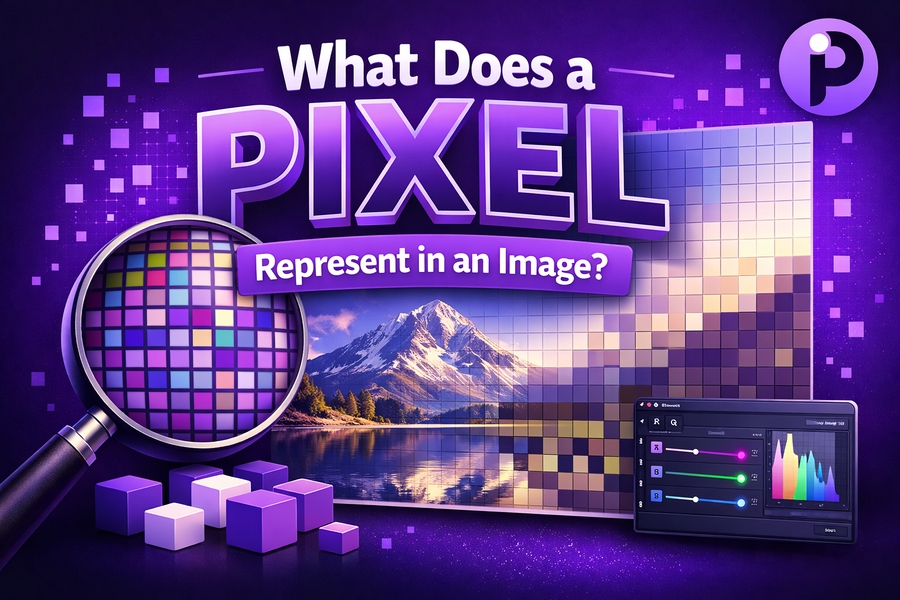
In the digital world, images are made up of countless tiny elements known as pixels. Each pixel holds critical information about the color, brightness, and position within an image. But what exactly does a pixel represent, and why is it so important for understanding digital images and displays?
In this article, we will explore the fundamental role of pixels in image formation, pixel resolution, and how pixel density affects the sharpness and clarity of images. By understanding these concepts, you will be better equipped to make informed decisions when working with digital images.
The Basic Definition of a Pixel
A pixel, short for “picture element,” is the smallest unit in a digital image. It is essentially the building block of all digital visuals, whether in photography, digital displays, or computer graphics. Each pixel holds specific color and brightness data, which, when combined with millions of other pixels, forms the complete image you see. In digital imaging, pixels work together to create a coherent and vibrant picture.
The number of pixels in an image is directly related to its resolution. A higher number of pixels results in greater image detail and clarity. For example, high-definition (HD) images have significantly more pixels than standard definition images, providing a sharper, more defined visual experience. In digital displays like smartphones or televisions, the pixel count determines how finely the image is rendered on the screen.
If you’re ever unsure about your screen’s pixel dimensions or need help calculating them, consider using a tool like the pixels to inches converter to assist you in determining pixel density, which is crucial for various types of image manipulation and creation.
Understanding Pixel Resolution
Pixel resolution refers to the total number of pixels that an image contains. It is usually expressed as the number of pixels along the width and height of an image or display. For instance, a resolution of 1920×1080 means the image has 1920 pixels horizontally and 1080 pixels vertically. The higher the resolution, the more pixels there are to represent fine details, making the image look sharper and clearer.
When creating or editing images, resolution is one of the first considerations to keep in mind. High-resolution images are essential for printing, especially if you want to maintain quality across large prints. However, images with very high resolutions can become large files, which might not always be necessary depending on the final use.
An excellent way to check if your image’s resolution is appropriate for your project is by understanding what resolution fits particular formats. For example, a 300 PPI (pixels per inch) image is recommended for professional print quality. However, if you’re working on a digital design or website, a resolution of 72 PPI is generally sufficient.
To learn more about the importance of pixel resolution, you can check out helpful resources such as what is pixel aspect ratio to understand how pixels relate to image dimensions and display quality.
The Role of Pixels in Color Representation
Each pixel in an image is responsible for representing a small section of the image’s overall color. This is particularly important in color images, where each pixel is typically made up of three subpixels: one for red, one for green, and one for blue (RGB). By adjusting the brightness and intensity of each of these subpixels, a pixel can display a wide variety of colors, resulting in the full spectrum of hues you see in an image.
The more pixels in an image, the more colors can be blended and displayed, resulting in more nuanced, accurate, and vibrant images. In displays, this color blending technique is essential for producing high-quality visuals. A low-resolution display might struggle to display smooth gradients or finer details, while a high-resolution display can show subtle transitions in color with far more accuracy.
If you’re curious about the quality of your digital images or looking for more insight into optimizing color resolution, refer to guides like what is a good pixel size for printing, which helps in understanding how pixel data can translate into high-quality print formats.
How Pixel Density Affects Image Quality
Pixel density, measured in pixels per inch (PPI), plays a critical role in image sharpness. The more pixels packed into each inch of a screen or image, the higher the pixel density and, consequently, the greater the detail and clarity. This is why devices like smartphones and high-end televisions often boast high pixel densities.
For example, a screen with a PPI of 300 will provide significantly sharper text and images than a screen with a PPI of 100, even if both displays are the same size. This is why modern devices, with their higher pixel densities, offer clearer and more immersive experiences, whether for reading, gaming, or video streaming.
For better clarity in understanding pixel density and its importance in screen resolution, you can visit what is pixel size for 8.5 x 11 paper, which explains pixel density in relation to specific paper sizes.
The Impact of Pixel Count on Image Printing
When it comes to printing images, pixel count is paramount. The number of pixels in an image determines how well it will reproduce on paper. If the image has too few pixels, it may appear pixelated or blurry when printed, especially in large formats.
For high-quality printing, it’s essential to use high-resolution images. A commonly accepted standard for professional printing is 300 PPI. This ensures that the printed image is sharp and contains enough pixel information to appear clear even at larger sizes. Understanding pixel dimensions helps ensure your images maintain their quality across different media, from posters to magazines.
To help you calculate the necessary pixel dimensions for different print formats, check out resources like what are the pixel dimensions of a piece of paper, which breaks down the relationship between pixels and common paper sizes.
Pixel Dimensions in Digital Displays
Digital displays, such as computer monitors, televisions, and smartphones, rely heavily on pixel dimensions to present images clearly. The number of pixels in a display determines its resolution and, by extension, the sharpness of the images you view.
In a typical display, the pixel dimensions are expressed as width x height. For example, a 4K display has a resolution of 3840×2160 pixels, offering four times the pixel count of Full HD (1920×1080). The more pixels a display has, the better it can render detailed images, making pixel dimensions a crucial factor in determining display quality.
If you’re designing for digital media, it’s helpful to understand these dimensions. For instance, websites are often optimized for 1920×1080 pixels to provide a crisp, responsive experience for viewers across different devices.
The Difference Between Pixels and DPI/PPI
While pixel count refers to the total number of pixels in an image, DPI (dots per inch) and PPI (pixels per inch) relate to how those pixels are distributed in physical space. DPI is commonly used in printing to measure the density of printed dots, while PPI refers to pixel density in digital screens.
It’s important to understand these differences, as they impact how images will look both on-screen and in print. A high PPI value typically translates to a higher-quality display, while DPI is key when preparing images for print to ensure that they retain clarity and sharpness.
To dive deeper into the difference between pixel density measurements, explore articles like what is pixel vs inches, which provides helpful comparisons between these measurements.
Conclusion
In conclusion, pixels are the fundamental building blocks of all digital images. They represent the smallest elements of color and brightness, combining together to form the visual experiences we enjoy every day. Understanding pixels, resolution, pixel density, and the relationship between digital and print images is essential for anyone working with visual content. Whether you’re a photographer, graphic designer, or digital marketer, having a clear understanding of what a pixel represents in an image is crucial for producing high-quality work.
To further explore the nuances of pixel sizes, resolutions, and dimensions, check out helpful articles like what pixel size is 16×9, and more insights on optimal pixel usage for different media formats.