

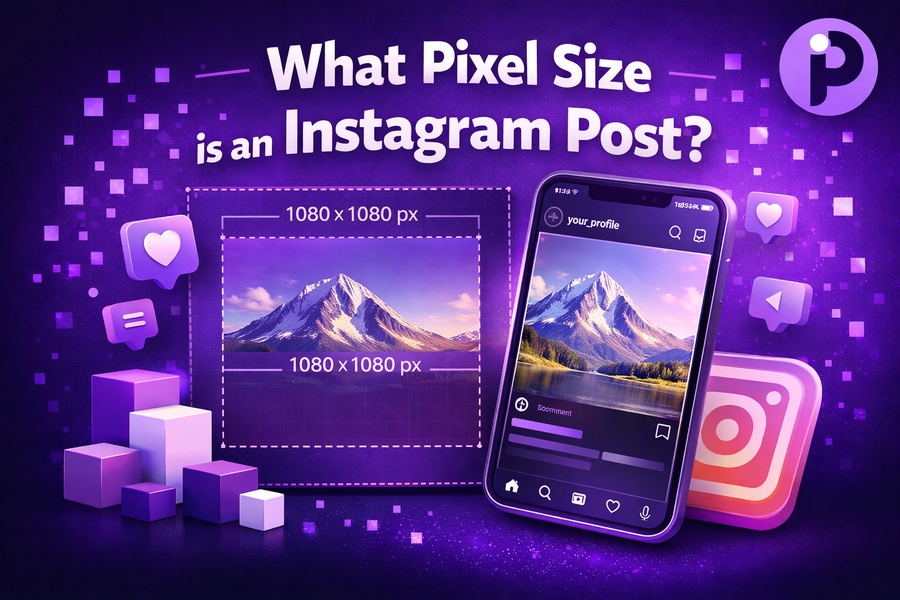
When it comes to sharing images on Instagram, understanding the correct pixel sizes for different types of posts is crucial. Optimising your images will ensure they appear clear and professional, while also adhering to Instagram’s technical requirements. Whether you’re posting a feed image, carousel, or story, choosing the right dimensions will help avoid awkward cropping and pixelation.
This article will guide you through the best pixel sizes for various Instagram posts, from images to stories, and how to enhance your visual content.
Instagram Feed Post Dimensions
When posting images to your Instagram feed, the pixel size is essential to maintain the quality of your photos. Instagram’s feed posts have specific size requirements that you must follow to avoid distortion. Ideally, you should use a square aspect ratio, with an image size of 1080px by 1080px. This is the standard size for square posts, ensuring your photos appear perfectly crisp and sharp.
For portrait or vertical posts, you’ll want to use an image size of 1080px by 1350px, maintaining a 4:5 aspect ratio. This allows your image to take up more space on a user’s feed without being cropped.
For landscape images, the optimal size is 1080px by 566px, adhering to a 1.91:1 aspect ratio. It’s essential to ensure your image fits within these sizes to avoid unwanted cropping or scaling, which can negatively affect user engagement.
To get more details about Instagram image dimensions and ensure you’re using the correct format, you can use this pixels to inches converter.
Instagram Stories Pixel Size
Instagram stories are an excellent way to engage your followers, but the pixel size is crucial to ensure that your story looks its best. The ideal dimensions for Instagram stories are 1080px by 1920px. This ratio is 9:16, which fits the vertical format of stories perfectly.
When creating stories, remember that the top and bottom of the screen are slightly covered by Instagram’s UI elements, so avoid placing important content in these areas. By using the correct size, you prevent any crucial parts of your image from being cut off.
Another helpful tip is using MP4 format for videos and JPEG or PNG for static images. These formats are optimized for quick loading and offer the best quality without sacrificing performance.
You can also check out what pixel size is 16×9 to help you create high-quality visuals with ease.
Carousel Post Dimensions
Carousel posts are a unique feature on Instagram that allow users to swipe through multiple images in one post. While Instagram supports different aspect ratios for carousel images, it is still best to stick to a consistent size to maintain visual harmony across your posts. The recommended size for carousel images is 1080px by 1080px for square posts, ensuring that all images within the carousel are aligned and appear crisp.
If you prefer to use vertical images for carousel posts, stick with 1080px by 1350px, which maintains the 4:5 aspect ratio. This ensures that your carousel images look cohesive when users swipe through them.
Maintaining a consistent pixel size for carousel posts helps to make your content more engaging and professional.
Instagram Profile Picture Size
Your Instagram profile picture is often the first impression people have of your account. The pixel size for an Instagram profile picture is 110px by 110px. However, to ensure your profile picture remains sharp on different devices, it’s recommended to upload an image that is 320px by 320px.
Keep in mind that Instagram will display your profile picture in a circular shape, so it’s essential to make sure that your logo or image is centered and fits well within the circular frame. This helps avoid unnecessary cropping and ensures that your profile picture looks clean and professional.
For more information about maintaining quality in your Instagram visuals, visit what is a good pixel size for printing.
Pixel Size for Instagram Ads
Instagram ads appear in a variety of formats, from feed ads to stories and carousel ads. It’s essential to ensure that your ad images meet the correct dimensions to avoid any quality issues. The recommended pixel size for feed ads is 1080px by 1080px, using a square aspect ratio, just like regular feed posts.
For carousel ads, you should use 1080px by 1080px or 1080px by 1350px depending on whether you’re using square or vertical images. If you’re running story ads, the ideal size is 1080px by 1920px, as this ensures the ad will fill the entire screen without distortion.
Optimizing your ad image sizes is crucial to ensure that your visuals look professional and effectively engage your audience.
Best Image Format for Instagram Posts
While pixel size is important, the format of your image also plays a significant role in how it looks on Instagram. For most posts, JPEG is the recommended format. JPEGs provide high-quality visuals at a smaller file size, which ensures fast loading times on mobile devices.
For images with transparent backgrounds, such as logos or graphics, use PNG format. PNG files preserve the transparency of your image, which is ideal for logos and illustrations.
If you’re uploading video content to Instagram, it’s best to use the MP4 format. This format provides excellent video quality while maintaining a relatively small file size, making it ideal for Instagram’s platform.
How to Resize Instagram Images
Resizing Instagram images to the correct pixel size is a simple yet effective way to enhance your social media content. You can resize images using a variety of online tools, photo editors, or even through Instagram itself by cropping and adjusting your photo. There are numerous tools available, such as a pixels to inches converter, that can help you convert pixel dimensions to inches, giving you a more accurate sense of the image size and resolution.
When resizing images, always ensure that you maintain the correct aspect ratio to avoid distortion. Remember that square images work best for feed posts, vertical images for stories, and horizontal images for landscape formats. By following these guidelines, your Instagram posts will always look their best.
Conclusion
Getting the right pixel size for your Instagram posts is crucial for ensuring your content looks its best and engages your audience effectively. Whether you’re posting on your feed, sharing a story, or running an ad, knowing the proper dimensions will help you optimize your visuals and stand out on the platform. Remember to always use the recommended pixel sizes for each post type, and don’t forget to use the right image format to maintain quality.
By following these tips and resizing your images accordingly, you’ll make sure that your Instagram profile and posts look professional and polished every time. For more insights on image dimensions, refer to guides such as what is pixel aspect ratio and other helpful resources.